$ ice-commander
Dual-pane. Native. Everywhere you work.
A keyboard-first file manager with a real terminal, archives that open like folders, and FTP, SFTP or WebDAV mounted straight into either panel — plus the machines you own, reached over node.in.net.
A fork of Ice Commander that adds peer-to-peer. The network half comes from node.in.net (source), used through its published interfaces. Installs alongside the original rather than replacing it.
Try the online demo of the application right from this page, right now:
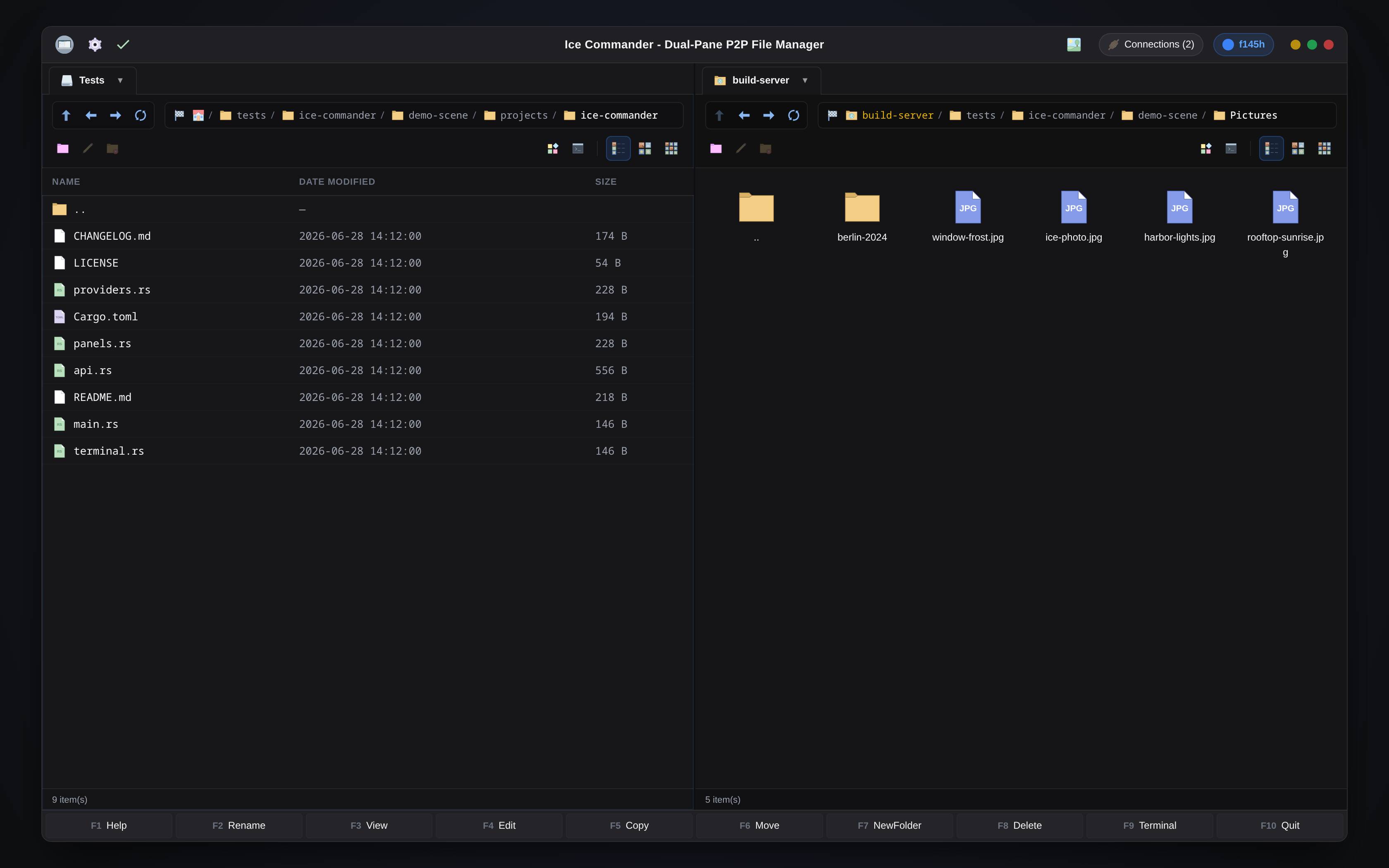
// loads the interactive sandbox — nothing is downloaded until you click
// this is the real web interface on an in-browser sandbox — press F3 on ice-photo.jpg or intro.mp4 · enter photos.tar.gz like a folder · copy with F5 · open the terminal · connect to the demo FTP. resets on reload
Two panels. Zero friction.
Everything a commander-style file manager should be — rebuilt native, fast, and keyboard-first.

Dual-Pane Command Center
A native high-performance dual-pane file manager. Supports classic keyboard layout (F5 Copy, F6 Move, F7 Folder, F8 Delete), drive mounts via DriveToolbar, and multiselect operations.

Symmetric Network Clients
Full connection manager integration. Seamlessly link to standard FTP, secure SFTP, and WebDAV servers alongside local directories. All sources look and feel identical.

Zero-Temp Archive Stack
Browse nested zip, tar, tgz, and tar.gz archives as virtual folders. Create archives from selected files, or copy directly from archives to remote servers without temp files.

Built-in Multimedia Suite
Native image thumbnails, built-in PDF viewer with remote file support, integrated MPV video player with OpenGL, audio player with playlists, and camera RAW photo previews.

Context-Aware Terminal
Embedded PTY terminal emulator for every panel. Automatically tracks your active directory path (CWD) and opens SSH console sessions for remote SFTP connections.

Your Machines as Panels
Sign in to a node.in.net account and the machines you own find each other. A peer opens in the second panel like any other filesystem — same keys, same copy, same viewer, with no server in the middle.
The original, plus the machines you own.
Everything Ice Commander does is here unchanged. Sign in to a node.in.net account and a second panel can point at another of your machines — one more filesystem beside the local disk, FTP and SFTP.


Desktop app
The native GTK4 dual-pane manager — the full graphical experience on Linux, macOS and Windows.
native
node.in.net account
Sign in once and the machines you own find each other. Nothing in the middle to rent, configure or trust.
accountA peer as a panel
Point the second panel at another of your machines. It is one more filesystem — same keys, same copy, same viewer.
peerOne panel local. One panel anywhere.
Remote sources mount straight into a panel and behave like local folders — same keys, same dialogs, favorites included.
Native code on every desk.
Rust + GTK4. One codebase, three platforms, no embedded browser pretending to be an app.
Linux
64-bit deb, rpm and zst packages — Debian-based, Fedora and Arch-based systems.
primary platformmacOS
Apple Silicon only — a native arm64 build.
supportedWindows
64-bit only — Windows 10 and 11.
supported